
LiveTake
Your idea. A band in 90 seconds.
A quick recorder for musicians that also writes the arrangement — so the drums and bass play with you, not you to a drum machine.
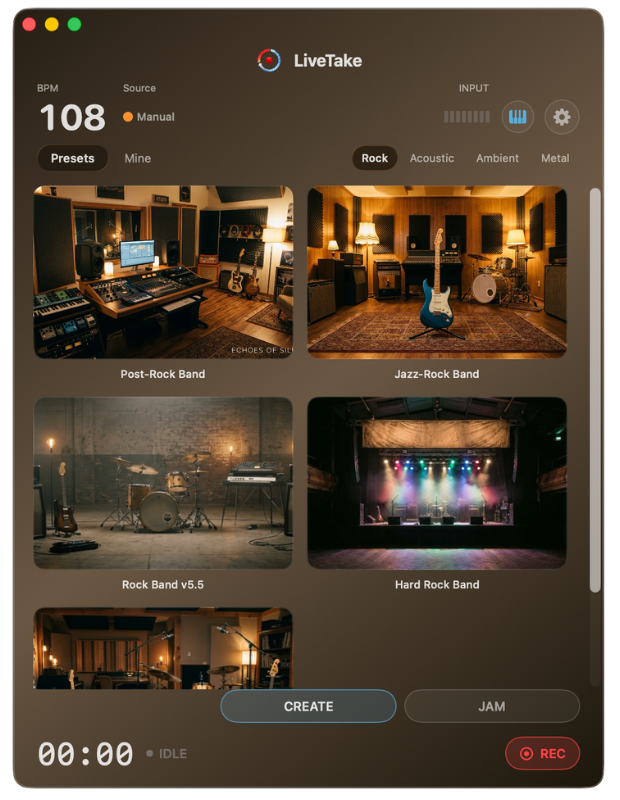
How it works
Jam an idea on guitar. In about 90 seconds, LiveTake generates accompaniment in a style preset — then you play and sing on top.
-
01
Capture the idea
Jam a riff or vocal into LiveTake — guitar processor or interface.
-
02
Pick a style
Choose a preset. In about 90 seconds you get a full backing band.
-
03
Play over it
Sing or solo on top — then record the mix if you want to keep it.
A good idea dies in the hands of someone without production skills
People still buy guitars because playing feels incredible. Most get stuck as beginners — not from a lack of ideas, but because arranging, bass, drums, and production are skills they never learn. The spark fades before the track exists.
Play over it — and get better
LiveTake takes a beginner’s raw idea and quickly dresses it in a style-true arrangement — with bass and drum parts that feel played, because the model learned from hit records. You hear your idea in full context, not as a lonely loop.
Playing solo or singing over that backing raises your level — the same way playing with stronger musicians does.
Your idea stays yours
Generative tools often drift: each iteration wanders farther from what you meant. LiveTake is built the other way — your take is the source, and you dial how tightly the arrangement follows it.
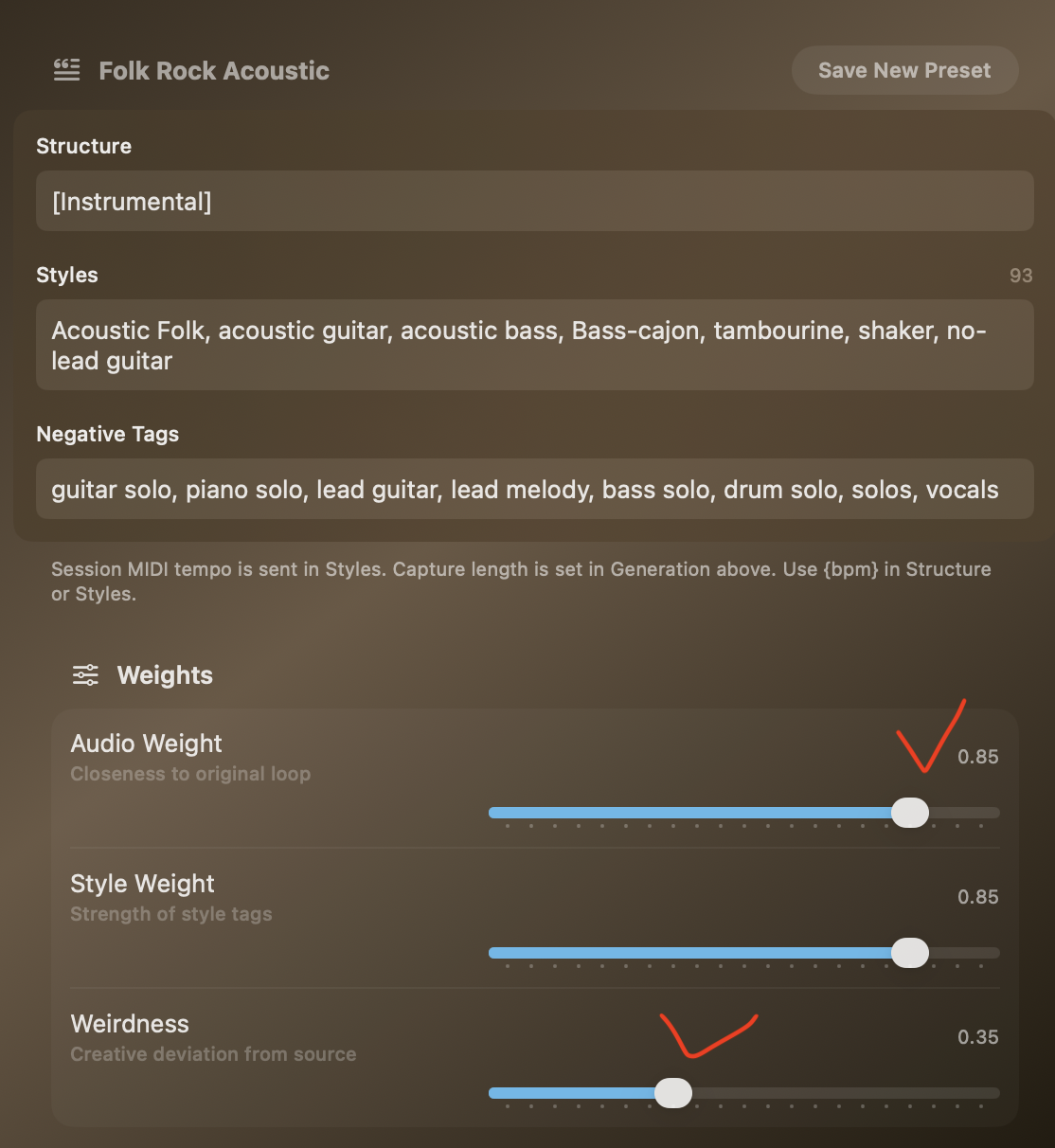
- Audio Weight how close the result stays to your original loop
- Style Weight how hard the style tags push the arrangement
- Weirdness how much creative deviation you’re willing to allow
- Structure, Styles & Negative tags steer instruments, form, and what must stay out (solos, vocals, lead lines…)
Save what works as a preset — so the next idea starts from your taste, not a blank prompt.
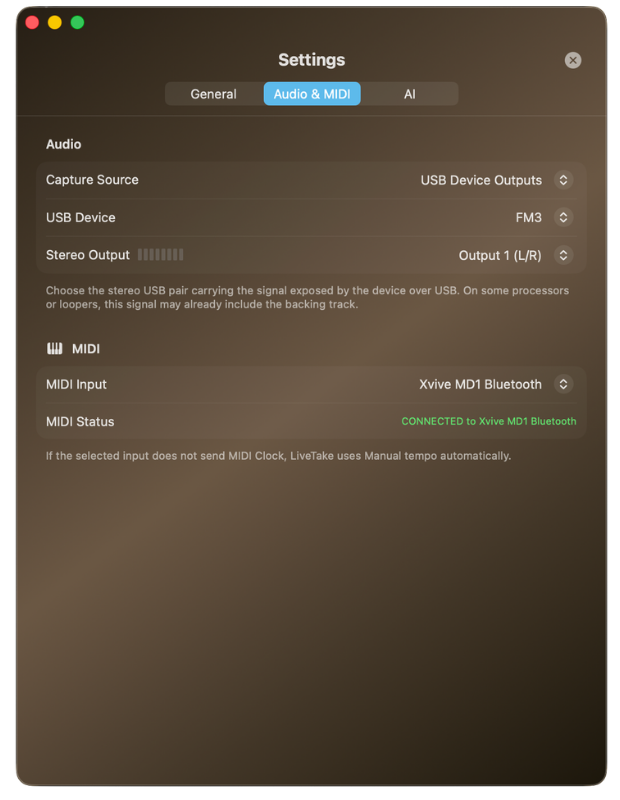
Built for real gear
Works with guitar processors and audio interfaces. Map a MIDI controller for Record, Start, and Stop — and sync tempo and effects with MIDI Clock.
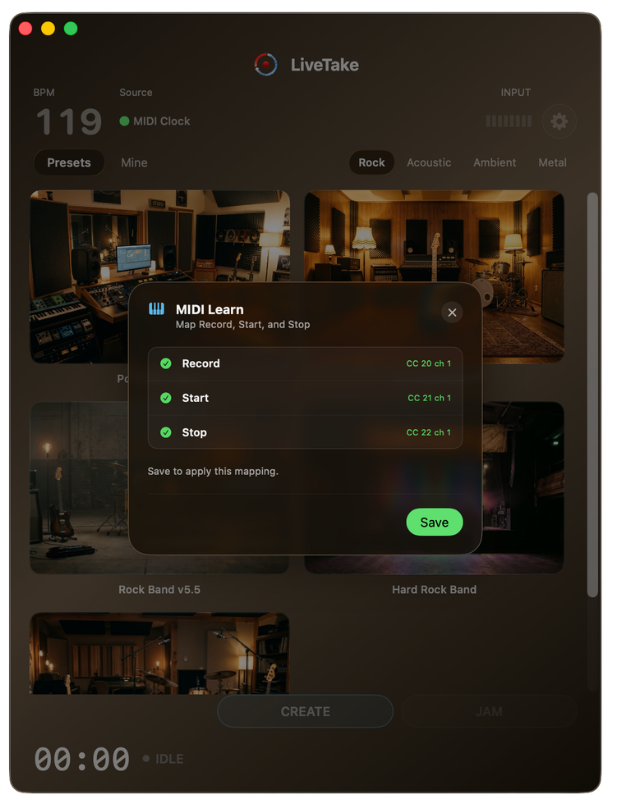
Keep the take
Jam over the backing, then record your solo or vocal and save the files to a folder.
To record the mix (backtrack + solo / vocal), you need an audio interface with Loopback.
System requirements
- macOS 15.6 or later
- Apple Silicon — tested on Apple Silicon Macs
- Guitar processor or audio interface
- Optional: MIDI controller / MIDI Clock source